Overview
Architecture
ARIA is a single TypeScript application: an API and dashboard, an evaluation engine, pluggable adapters, and an LLM judge. Here's how the pieces fit together.
Clients
Interfaces
Evaluation Engine
Adapter plane → agent under test
Judge plane
Results & Storage
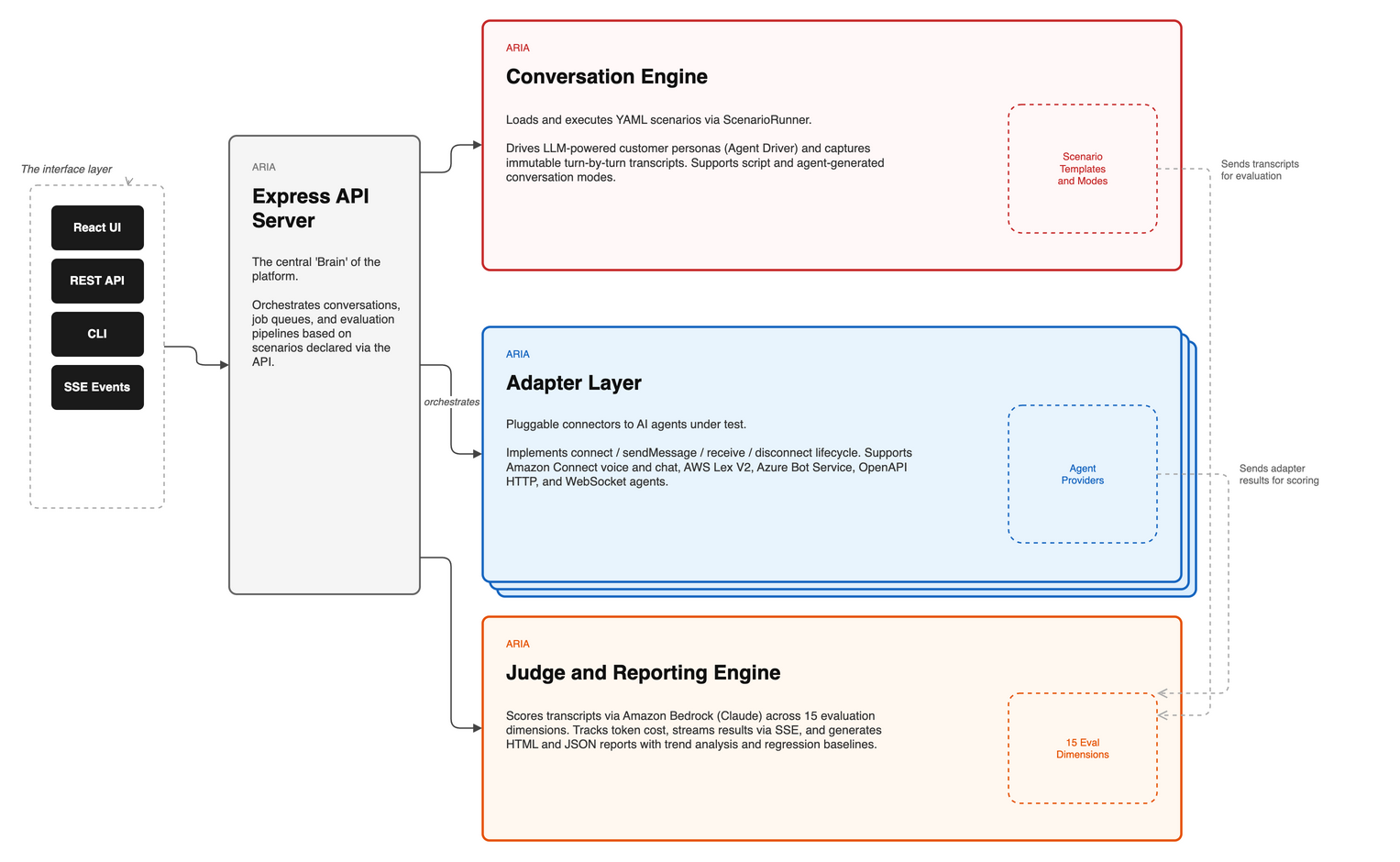
System architecture
The diagram below shows how ARIA's internal components — the API server, evaluation engine, adapter plane, and judge — are wired together.
End-to-end flow
The diagram below traces a full evaluation from scenario input through the adapter and conversation runner to the judge and final report.
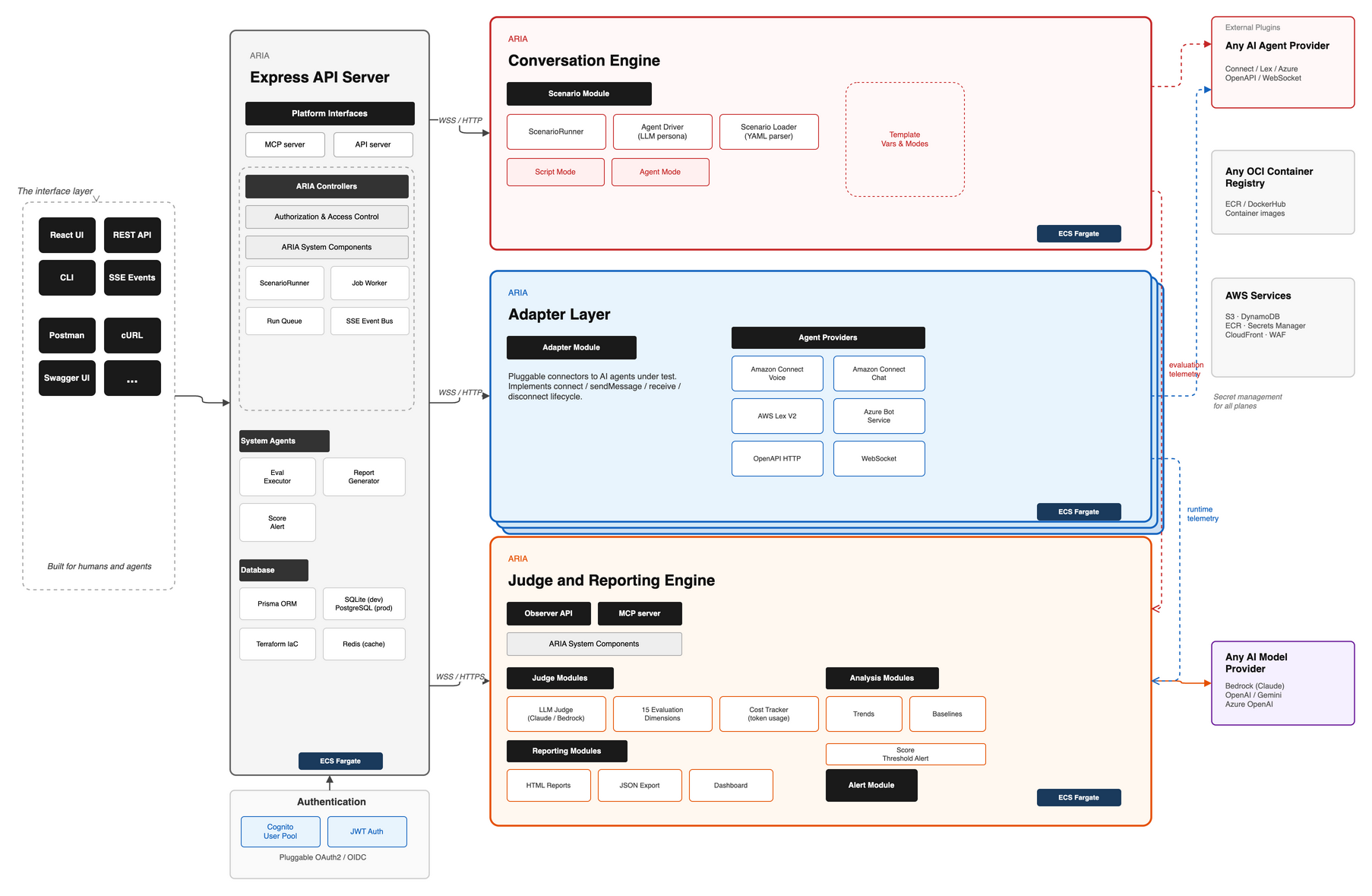
The evaluation pipeline
A run is a straight line from a scenario to a report:
Scenario (YAML) → Adapter → Conversation runner → Transcript → LLM Judge → EvalResult → Reports / Dashboard- Adapter connects to the agent under test and exchanges messages.
- Conversation runner drives the dialogue — scripted turns or an AI-generated customer — and saves an immutable transcript.
- Judge scores the transcript with a panel of independent LLM judges.
- EvalResult is rendered into an HTML + JSON report and streamed live to the dashboard.
Stack
TypeScript · Express · React (Vite + Tailwind) · Prisma · PostgreSQL · Redis (sessions + job queue) · Amazon Bedrock (the judge). It runs as one process locally and as a container image when self-hosted.
Source layout
| Path | What lives there |
|---|---|
src/adapters/ | Provider adapters (Connect, Lex, Azure, Copilot, OpenAPI, WebSocket, custom). |
src/conversation/ | The conversation runner and transcript model; script vs agent mode. |
src/judge/ | The LLM judge — dimensions, scoring, and Bedrock providers. |
src/api/ | Express routes, run queue, and live progress streaming. |
src/cli/ | Per-provider CLI entry points (run-openapi.ts, run-connect.ts, …). |
src/ui/ | The React dashboard. |
scenarios/ | Scenario YAML files, organised by domain and category. |
prisma/ | Database schema and migrations. |
infra/terraform/ | Terraform for local (Docker) and self-hosted deployments. |
Database
ARIA uses Prisma with PostgreSQL. The local Terraform setup runs a Postgres container for you; for an npm-only workflow, point DATABASE_URL at any Postgres instance. Apply the schema with npm run db:migrate. Redis backs sessions and the background job queue.
Ready to run it? Head to the Quick Start.